Godot 4.7 Version Review: Architectural Innovations, Developer Ecosystem, and Production Standards
Representing one of the most important and innovative entities in the open-source game engine ecosystem, Godot has achieved a critical level of maturity in terms of architectural flexibility, graphical fidelity, and developer ergonomics with its stable release published on June 18, 2026 1. While previous versions focused on the stabilization of the engine's core systems and the resolution of foundational bugs, the 4.7 release exhibits a "production and workflow-oriented" structure directly aimed at solving the bottlenecks encountered in the daily workflows of professional studios and independent developers in the production phase 3. Alongside the 4.7.2 maintenance update published on August 18, 2026, PCSS shadow coordinates, the performance of high-polling-rate mice on Windows, and minor glitches in multiplayer replication scenarios have also been resolved, reinforcing the production-ready stability of the engine 5.
Rather than offering a brand-new physics engine or a completely rewritten render pipeline from scratch, Godot 4.7 is a deep improvement package that expands the existing Forward+ and Mobile render infrastructures, resolves chronic issues in user interface (UI) animations, standardizes mobile development processes, and meets modern hardware requirements such as High Dynamic Range (HDR) 2. Evaluations made by the community and industry professionals show that developers who have used different closed-source engines (such as Unity) for many years are particularly impressed by Godot 4.7's render capabilities and rapid prototyping opportunities 2. This report examines the technical innovations offered by Godot 4.7, the impact of these innovations on software architecture, community feedback, and the strategic evaluations of projects during their transition processes to this new version within a highly comprehensive analytical framework.
Innovations in the Render Engine and 3D Graphics Infrastructure
The graphics processing pipeline is among the areas where Godot 4.7 has made its most prominent progress. The delicate balance between photorealism and performance optimization in modern game development depends on the variety of tools offered by the render engine and its hardware acceleration capacity. The new version presents analytical features that catch up with industry standards across many layers, from lighting calculations to material management.
Area Lights (AreaLight3D) and Lighting Physics
Lighting models are the most fundamental elements determining the visual credibility of 3D render engines. Prior to Godot 4.7, developers had to cluster point lights or use emissive materials supported by Global Illumination to simulate rectangular or wide-surface light sources (e.g., neon signs, massive industrial windows, television screens, fluorescent lamps, or soft studio lighting) 1. These temporary and indirect workarounds both created an unnecessary performance cost on the GPU and remained inadequate in terms of the physical accuracy and edge softness (penumbra) of the generated shadows.
Added to the core node architecture with Godot 4.7, the AreaLight3D node provides an analytical real-time render solution that allows light to be emitted not from a single infinitely small point, but from a bounded two-dimensional rectangular surface area 1. While this structural architecture produces natural and progressively softening shadow transitions depending on the physical size of the light source, it simultaneously guarantees that the rectangular shape of the light source is accurately reflected on smooth and reflective surfaces (specular reflections) within the scene 1. This approach, which does not require ray tracing, dramatically increases the lighting quality of scenes without exceeding the performance budget. In terms of architectural visualization, indoor horror games, and cinematic atmosphere design, this development provides scene designers with a much cleaner workflow and superior visual quality.
High Dynamic Range (HDR) Video Output Support
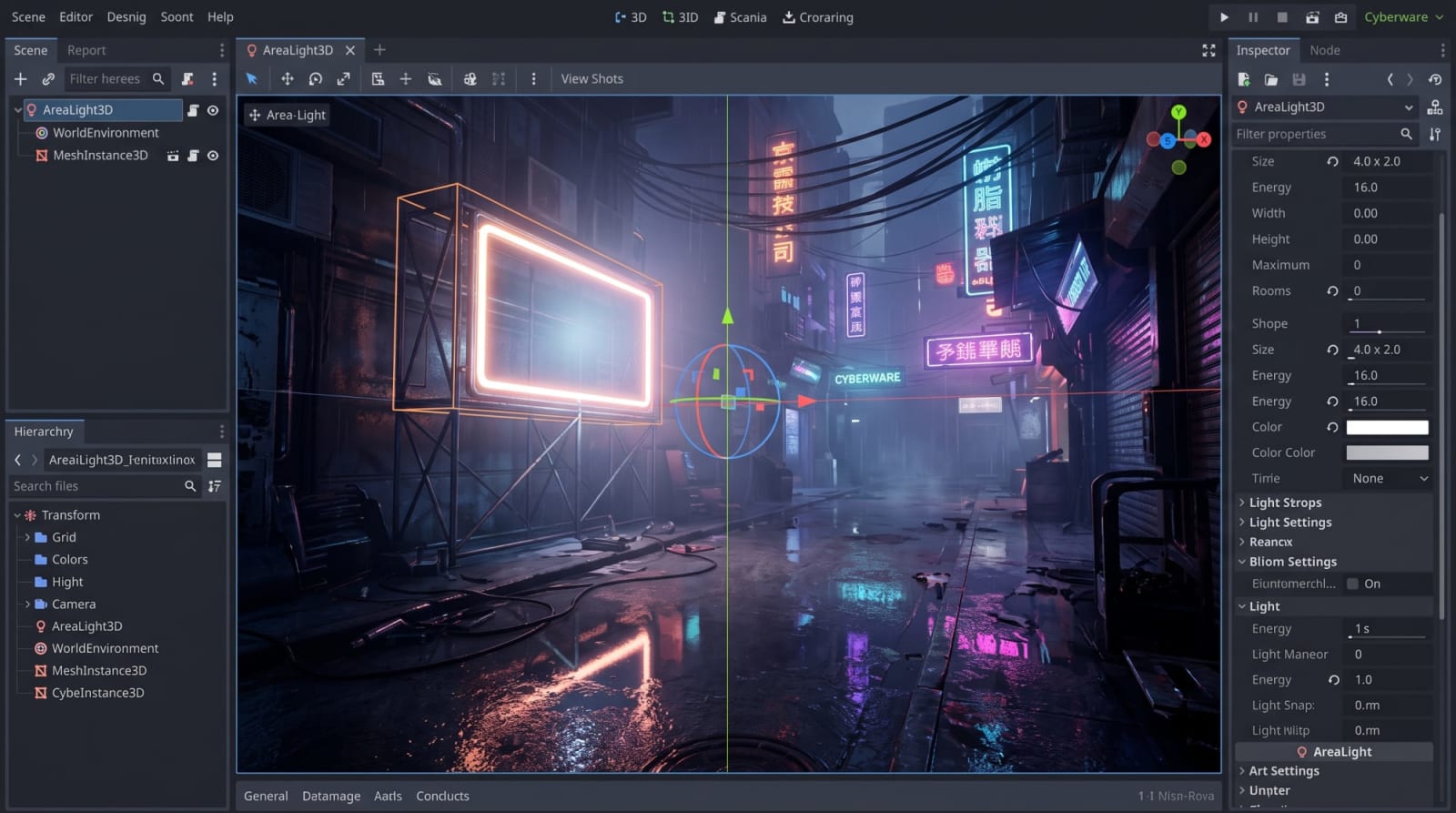
Along with advancements in display technologies, hardware pushing beyond the limits of the standard sRGB color space has started to become standard in the end-user market. Godot 4.7 has gained the ability to transfer high dynamic range lighting data—calculated internally by the engine in a floating-point format—directly to supported displays via operating system-level HDR APIs 2. Supporting brightness values up to 10,000 nits theoretically, this feature allows elements such as explosions, neon lights, magic effects, or direct sunlight to be presented on screen with blinding brilliance, deep blacks, and a much wider color gamut 3.
Because the support for HDR output requires extremely low-level integration with hardware drivers and operating system window managers, platform and render engine dependencies are specific. The configuration matrix regarding the integration of this feature is detailed in the table below:
Operating System / PlatformHDR Support StatusRequired Render EngineArchitecture and Integration NotesWindowsFully SupportedForward+ or MobileWindows HD Color settings must be enabled at the operating system level, and a compatible monitor must be used.macOSFully SupportedForward+ or MobileDirectly integrated with Apple's native HDR management APIs and the Metal interface.iOS & visionOSFully SupportedForward+ or MobileCompatible with the high-brightness capabilities and XDR screen configurations of mobile Apple devices.Linux (Wayland)Fully SupportedForward+ or MobileWorks only under modern Wayland compositors. Requires a comprehensive window management protocol.Linux (X11)Not SupportedNot ApplicableDisabled due to color depth limitations in the legacy X11 architecture. Developers must switch to Wayland.AndroidNot SupportedNot ApplicableCurrently unavailable due to wide Android hardware fragmentation.Web (HTML5)Not SupportedNot ApplicableWebGL and WebGPU browser graphics API limitations have not yet standardized HDR output.
As can be understood from the table, HDR usage should be handled as an optional visual enhancement layer activated on supported platforms rather than a holistic requirement 4. Developers should evaluate HDR not as the foundation of all art direction, but as a polish that further enriches projects that already look good on standard dynamic range (SDR) 4.
Vulkan Hardware Ray Tracing Infrastructure
As one of the biggest technological breaking points in the gaming industry, hardware ray tracing technology has been integrated into Godot 4.7 alongside the engine's Vulkan architecture as a low-level plumbing infrastructure 2. This release does not include direct end-user features such as "Ray-traced reflections" or "Path tracing" that players or developers can activate with a single click 10. Instead, the engine has been equipped with the core requirements of ray tracing, namely the capabilities to build acceleration structures and dispatch rays directly from within the Vulkan render pipeline 2.
This strategic engineering move provides a standardized foundation for large-scale studios to write their own custom ray tracing solutions (e.g., custom lighting shaders or mirror systems). In past years, teams wanting to use hardware ray tracing were dependent on proprietary Godot RTX forks maintained by NVIDIA or independent developers 2. This core integration coming with 4.7 is definite proof that upcoming versions such as Godot 4.8 and 4.9 will feature built-in ray tracing capabilities running directly on the mainline engine 2.
DrawableTexture2D and Runtime Texture Processing
The "runtime texture drawing" operation, which is frequently needed in game mechanics, was performed in previous versions through indirect and high-cost operations such as creating a separate Viewport to render the scene into that viewport or sending low-level GPU commands via complex RenderingDevice APIs. Godot 4.7 abstracts these challenges and introduces the DrawableTexture2D class, a highly accessible and performant API 2.
DrawableTexture2D allows developers to write pixel data or brush strokes directly onto a texture using standard blit calls 2. This feature ensures that even developers without a deep mastery of rendering APIs can easily create complex effects. For instance, fog of war masks that can be explored in strategy games, dynamic tire tracks in racing games, mechanics where characters fling paint onto surfaces (paint tools), tools where players can draw freely, scratch/reveal mask games, or armor textures that deform as they take damage (scratch effects) can be developed using this API without placing an extra load on the main system 1.
Pixel Art and 3D Visuals: Nearest-Neighbor Scaling
Traditional 3D render engines use bilinear filtering by default when projecting low-resolution textures, coatings, or screen outputs onto the screen. While this smoothing algorithm yields perfect results in photorealistic graphics, it leads to unwanted blurring, especially in games imitating the retro style of the 90s (PS1 aesthetics) or in low-resolution 3D pixel art games 2. Many developers within the community had to write custom shaders just to eliminate these imperfections. Godot 4.7 integrates the Nearest-Neighbor scaling option for 3D viewports as a standard engine feature, offering an excellent aesthetic control tool that preserves pixel sharpness and crisp lines even when the resolution is downscaled 1. This feature has created an indispensable infrastructure for indie productions combining modern 3D features with a nostalgic pixel art approach.
Shaders, Effects, and Material Improvements
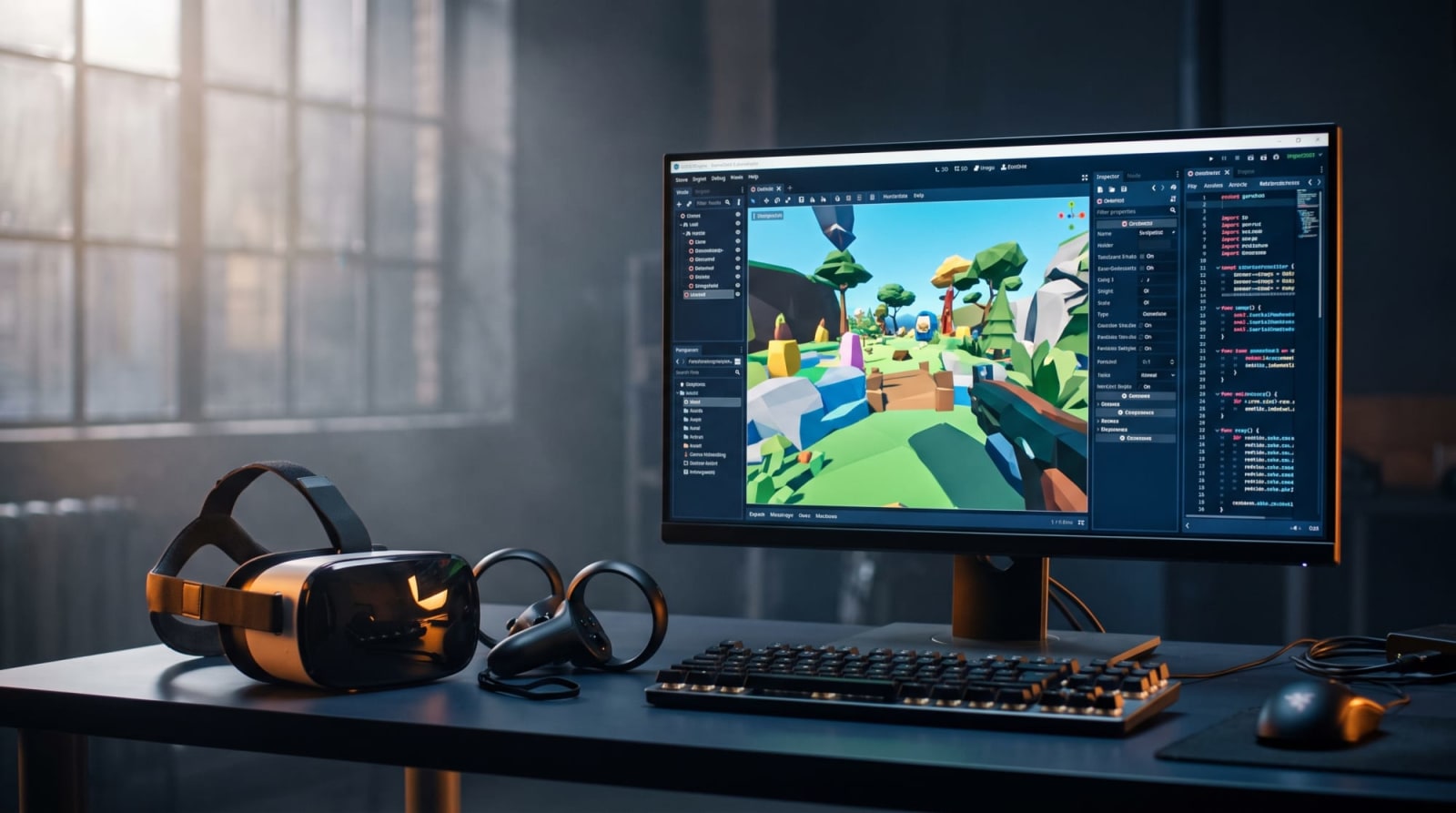
Post-processing effects and particle systems defining the visual language of the game have also undergone detailed optimizations. For developers working on code-based text shaders, the biggest innovation is inline shader previews within the editor. Now, when a mathematical change is made in the shader code (for example, altering the frequency of a wave function), the changes can be previewed in real-time directly in the background of the code editor without requiring the engine to recompile or switch to a different workspace 2. This is a development that extraordinarily increases iteration speed.
On the physically based rendering (PBR) materials side, clearcoat render algorithms used to simulate surfaces such as car paint or wet ground have been improved, and the refraction of light over these transparent layers has been made more accurate 1. Render passes can now host their own separate environment uniform buffers, providing flexibility in complex post-processing chains 1. In 3D particle systems, developers have been provided with expanded controls over the scale and rotations of particles, and mathematical corrections aimed at the angular velocities of particles have been applied to make simulations look more organic 1.
User Interface (UI) Engineering and Animation
Systems
In game development processes, user interface design is an area that generally takes much more time than core gameplay mechanics coding, is open to iteration, and possesses a highly fragile structure 9 . In order for interface elements to adapt to changing resolutions on the game screen, Godot has offered a robust node-based layout system from the very beginning. However, version 4.7 resolves a deep-seated structural issue in the interaction of interface elements with animations, introducing one of the most capable UI toolsets in the industry 9 .
Control Node Offset Transforms
Godot's UI layout system is built upon hierarchical Container nodes. Control nodes (buttons, panels, scrollbars, etc.) placed inside an HBoxContainer or VBoxContainer are strictly managed by the container's automatic sorting and placement algorithms 1 . In past versions, when a designer used a Tween animation to enlarge a button's scale, rotation, or position to create visual feedback upon being hovered over (hover state), this change was perceived as a "layout disruption" by the parent container. The container would immediately recalculate and attempt to reposition the interface elements according to its algorithmic logic, causing buttons to snap back in undesirable ways, menus to flicker, and developers to practically fight the layout system 1 .
The most critical solution Godot 4.7 brings to UI engineering is the Control offset transforms system, which separates visual transformations from the logical box model. The newly added offset_transform_* (position, rotation, scale) properties determine how the interface element will be visually rendered while leaving its logical coordinates and occupied area intact 1 . That is, when a button is visually enlarged by 20% or shifted on the screen using offset transforms, the parent container does not perceive this change as a layout update and preserves its positioning calculations 4 . This isolation fully empowers UI programmers and technical artists to design smooth, dynamic, and flexible interface animations without breaking the container structure or anchoring logic 4 . Community feedback confirms that this feature eliminates hundreds of lines of workaround code in menu designs and is a "lifesaver" 9 .
Rich Text Labels (RichTextLabel) and Conical Gradients
User interfaces' data display capabilities have been improved to respond to the dynamic font scaling requirements of modern games. Images embedded into a RichTextLabel using the [img] tag (for example, an Xbox Controller "A" button or a custom emoji icon displayed within text) can now be positioned responsively to the inline text size 1 . Developers can use relative CSS-like definitions such as [img height=1em] to ensure that when the game's resolution, language translations, or accessibility settings are changed, the image automatically scales proportionally along with the text font 3 .
Furthermore, a FILL_CONIC mode has been added to the GradientTexture2D class, which is used to create color spectra in the field of 2D effects and UI design. Unlike standard linear or circular gradients, this conical gradient feature sweeps and distributes colors around the center in a manner similar to CSS styles 3 . This mathematical addition provides an extremely practical foundation for creating circular progress bars, ammo indicators, radar scanning effects, or fake 3D shading illusions when writing 2D shaders 3 .
Editor Ecosystem and Developer Workflow Improvements
Game engines are not just compiler engines that produce executable files; they are also productivity and development software (IDEs) where designers, artists, and programmers spend thousands of hours. In this context, the fluency of the editor's own interface directly affects development time. Godot 4.7 includes numerous Quality of Life (QoL) updates that optimize the editor experience, reduce the number of clicks, and ease cognitive load in large projects.
The Birth of the Asset Store (Formerly Asset Library)
The Asset Library, which has served Godot developers by providing community-created tools for many years, has left its place to the Asset Store concept, rewritten from scratch with modern API standards 2 . This is not merely a cosmetic name change, but an infrastructural architectural revision. In the old system, while massive asset packages were fetched from the server or search queries were processed, the main editor thread would lock up, leading to freezes. The new store API actively uses background threading 1 . Thus, while content is being downloaded, the editor interface remains fully responsive 3 . Additionally, zooming into preview images to examine assets more closely, current community rating displays, and a much cleaner category tree (showcase) have been integrated 3 .
Inspector Improvements and Animation Track Collapsing
In large-scale 3D projects, one of the points where developers lose the most time is transferring complex data structures between nodes. Thanks to a new panel tool added to the Inspector panel in Godot 4.7, instead of individually copying and transferring variables (such as X, Y, Z rotations or material color codes) between similar nodes, it has become possible to collectively copy an entire property section and paste it with a single click into the same field on another node 1 . This mechanic reduces the margin of manual error to zero and provides massive time savings, especially when transferring material parameters or hierarchical physics configurations in bulk 2 .
The AnimationPlayer and Animation Tracks panel, used to manage animations of complex scenes, has also been ergonomically overhauled. When animating a complex character skeleton with 40-50 different tracks, a "track collapsing" feature has been introduced to prevent the screen from getting cluttered with tracks and causing scrolling chaos 1 . Keyframes located on collapsed tracks are presented as an "aggregate representation" in a single row; thus, animators continue to have a visual guide regarding general animation timing without even seeing the specific details inside the collapsed tracks 3 .
3D Scene Snapping and Ruler Improvements
Scene manipulation tools have been significantly empowered for 3D artists and level designers doing level design and world building. Before Godot 4.7, merging assets and placing them on floors was mostly done by eye or by entering numerical values. The new version introduces three core toolsets that catch up with industry standards:
Vertex Snapping: By holding down the assigned shortcut key on the keyboard in the editor (defaulting to 'B'), a developer can directly select a specific vertex point of a 3D mesh and snap it to the vertex points of other objects with millimeter precision 1 . This prevents gaps from forming when creating modular dungeon designs or building blocks.
Path3D and Collider Snapping: Path3D node points used for drawing trajectories in scenes can now snap not only to the viewport's camera plane, but also directly to the surfaces of physical colliders in the scene 1 . This feature provides vital convenience when drawing AI patrol paths or racing track trajectories moving over mountainous or sloped terrain 3 .
Advanced Ruler: The 3D measurement tool used with the Shift modifier key now displays not only the absolute distance between two points (e.g., 15 meters) but also the relative length vectors formed along each coordinate axis (X, Y, Z) in three-dimensional space (e.g., 10m on the X axis, 5m on Y, 10m on Z) separately 1 . This geometric feedback is quite critical in initial-phase level design referred to as blockout. Furthermore, 3D camera controls have been unified with the engine's embedded game view, ensuring that the developer's keyboard shortcuts or navigation layout remain the same on both sides 3 . To make it easier to find desired objects in long lists, a search bar has been added to PopupMenu windows; filtering mechanisms such as "Show Custom" have been integrated into the Create Dialog screens for creating new nodes or resources 1 . When a developer working in the code editor double-clicks on the file name at the top of the script window, the location of the file in the file system on the left is automatically highlighted, preventing them from getting lost in vast data trees 3 . In the Remote Scene Inspector screen, Enum values have started to be displayed with their represented string names inside the code rather than just meaningless integers (0, 1, 2) 3 .
Mobile Development, Virtual Reality (XR) and Performance Optimizations
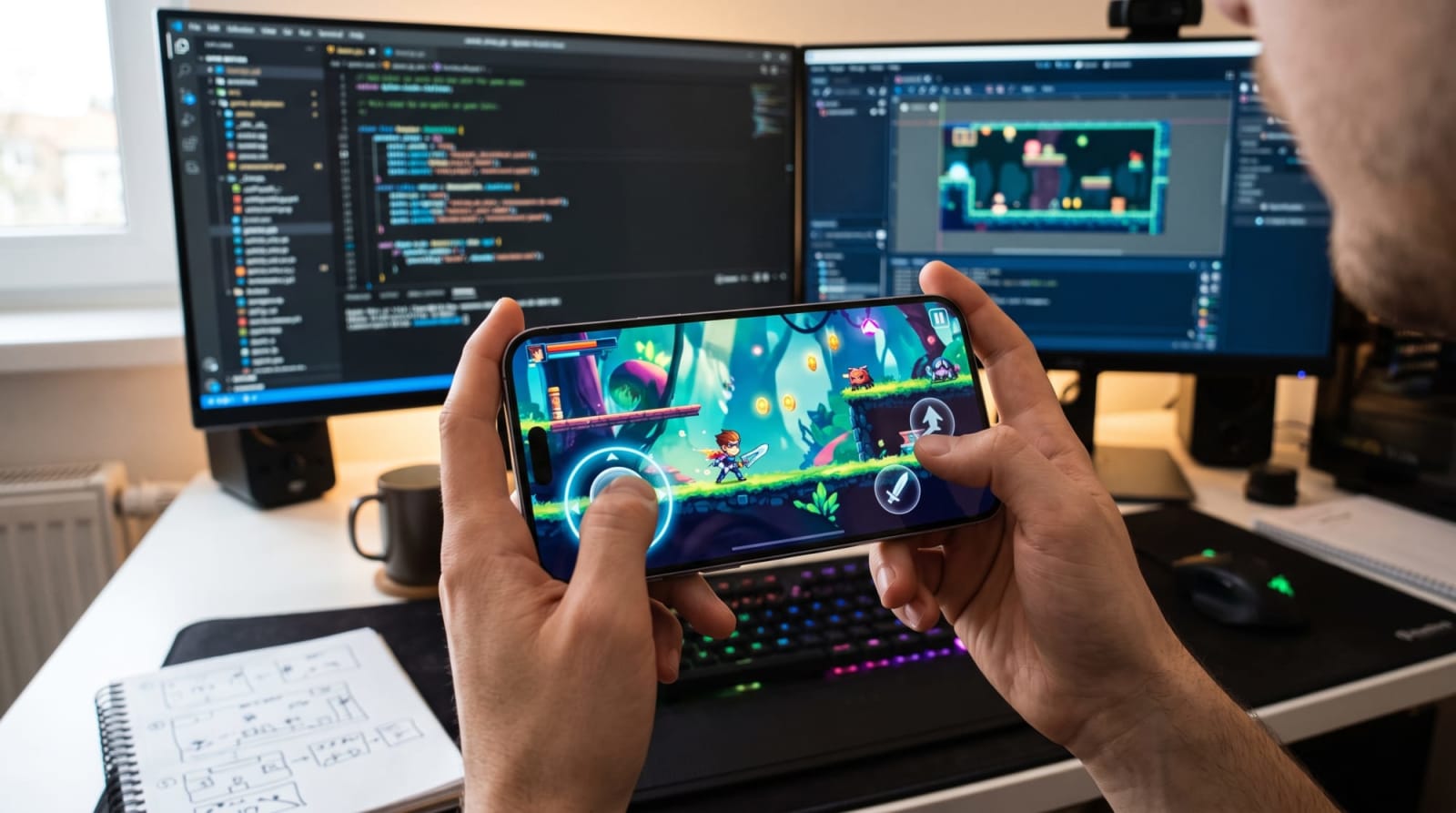
While the share of mobile devices and virtual reality headsets (platforms) in the game industry is steadily increasing, Godot 4.7 has made specialized software hooks addressing the hardware constraints of these devices standard core features.
Built-in VirtualJoystick Integration
Teams developing action or role-playing games for mobile platforms have long been dependent on third-party plugins or hard-to-maintain input code written from scratch for on-screen virtual touch controls. Community plugins carry the risk of breaking with every engine update 4. Godot 4.7 fundamentally solves this fragmentation by introducing a VirtualJoystick node integrated directly into the engine core 1.
This integration supports three different interaction models that are fully compatible with classic control schemes in mobile game design:
Joystick ModeMechanism and User BehaviorIdeal Use CaseFixedThe position of the joystick on the screen is fixed. The player must drag their thumb to this specific area of the screen. It features a classic "dead zone" setting at its center.Retro arcade ports, console-style fixed controllers 1.DynamicThe joystick appears at that exact point the moment the player touches a designated area of the screen. When the finger is lifted, it immediately disappears and resets its position.Shooters requiring fast reactions 1.FollowingStarts with the same logic as the dynamic mode, but when the player's thumb exceeds the movement limits, the center axis of the joystick also slides to follow the finger, ensuring the player stays in continuous contact.RPGs or endless runners where the character moves non-stop 1.
Additionally, accelerometer and gyroscope data from gamepads can now be read via the API, stabilizing the integration of tilt and motion controls offered by mobile or console game controllers 3.
GABE (Godot Android Build Environment) and On-Device Development
Godot's vision of not just developing games for Android, but as a philosophical stance, "game development directly on Android OS tablets and mobile devices (on-device)" (Godot Editor for Android), has taken a major leap in version 4.7. Thanks to a special companion application called GABE (Godot Android Build Environment), the Godot Editor running on Android devices (such as a Samsung Galaxy Tab) now has the Gradle export support required to build APKs or AABs directly inside the device 3. This means developers can compile code written on the device directly on the device without needing a computer and create full release packages (APK) 4.
The ergonomic constraints of the editor running on Android have also been overcome. The embedded game window at runtime is now resizable and draggable instead of remaining fixed; thus, different screen aspect ratios like landscape, portrait, or tablet formats can be tested on a single device 1. The script writing screen has become rotatable in response to the device's landscape/portrait sensors (landscape coding), thereby increasing ergonomics when a keyboard is connected 4. Furthermore, thanks to the Picture-in-Picture feature, testing processes have become much more modular, making the game watchable even while running in the background 1. Export options have been expanded so that Android projects' splash screens now have a customizable structure 1.
However, at this point, it is necessary to draw attention to performance warnings coming from the developer ecosystem. Although Godot's 3D engine has advanced features, especially when using the Compatibility (GLES3/OpenGL) engine on mobile devices, render constraints can be experienced on devices featuring mid-range GPUs such as the Mali G68. Industry analyses (such as Reddit test reports) show that in a simple scene with very few background objects and only 3,000 polygons, frame rates can drop down to 38 FPS unless the resolution scale is lowered 16. Therefore, developers must pay maximum attention to viewport resolution scale, material simplicity, and test device diversity when developing 3D products targeting the Android platform 16.
Extended Reality (XR): Composition Layers and Foveated Rendering
The OpenXR architecture, which has become the industry standard in the Virtual Reality (VR) and Augmented Reality (AR) market, has been made more production-focused with Godot 4.7 2. While production-ready support is provided for Steam Frame and Android XR platforms, OpenXR action maps have been reduced to the four most basic profiles, easing the complexity in controller integrations 1.
In VR development processes, UI readability is the most critical ergonomic issue. Placing head-up displays (HUDs) or text into the scene like standard 3D geometry (eye-buffer rendering) results in flickering, blurry, and unreadable text due to the lenses' focal length and pixel density. The OpenXR composition layer system moves user interfaces outside the standard game world buffer and draws them directly onto the visor's projection layer (onto the projector) 3.
Godot 4.7 has deepened control over these composition layers. Developers can now:
Bind (lock) composition layers directly to the XRCamera3D node in the scene to design ultra-crisp HUD screens that remain fixed in the field of view without even a millisecond of latency, no matter how fast the player turns their head 3.
Pair composition layer objects with world geometry, leaving text layers world-locked to specific coordinates in space 3.
In the context of graphical performance, VR headsets (such as Meta Quest) are devices with massive resolutions, and saving every millisecond is vital for comfort 4. The Vulkan "Subsampled images" technology has been integrated into the Mobile Render engine in Godot 4.7 1. This technology dramatically reduces GPU memory bandwidth by storing processed pixels at a lower density during foveated rendering (rendering the center the eye focuses on sharply while rendering the peripheral field of view at a lower resolution) 3. As a result, huge gains are achieved in performance and mobile device battery consumption 1. It is recommended to use the Mobile render engine by default for XR projects 1.
Physics Philosophy and Advanced 2D Toolset
Physics systems and collision algorithms form the behavioral heart of game engines. Starting with version 4.6, Godot had included the high-performance Jolt Physics plugin into the core ecosystem as the default 3D physics engine. Contrary to some rumors in the industry, version 4.7 has not replaced or canceled Jolt Physics; the Jolt engine continues its production stability as the default physics engine for new 3D projects and the 4.7 architecture 1. However, 4.7 made its real physics revolution by overcoming a deep-rooted limitation in 2D collision architectures.
One-Way Collision Direction Freedom
In 2D platformers (such as cloud or suspension bridge platforms that characters can jump under and pass through to land on top of, like in Mario or Hollow Knight), one-way collisions are a frequently used mechanic. Prior to Godot 4.7, the physics engine rigidly and unchangeably assumed that the one-way collision vector pointed toward the local "Up" direction of the corresponding CollisionShape2D node (the (0, -1) vector) 3. When game designers wanted to change the collision direction (for example, a wall where the character can pass from the right but collides from the left), they had to resort to painful tricks such as completely rotating the physical structure or rotation of the collider independently of the visual graphics nodes and synchronizing these two structures 3.
With the 4.7 update, a new variable named one_way_collision_direction has been added to the CollisionShape2D class 3. Thanks to this feature, the direction vector of one-way interactions can be freely assigned in 360-degree local space without ever distorting the general geometry of the collision shape (box or capsule structure) 3. This situation has made the coding of strong wind currents, conveyors pushing the character, angled gravity zones, or gliding mechanics from platforms much more elegant and mathematically correct, free from unnecessary rotation calculations.
Dynamic CSG Smoothing (Autosmooth)
Constructive Solid Geometry (CSG) is a tool that allows game designers to instantly prototype 3D levels inside the engine using simple intersecting geometric shapes (cube, sphere, cylinder) through addition, subtraction, and intersection operations, without needing external 3D modeling programs like Blender or Maya 3. However, generated CSG floors always looked sharp, low-poly, and rough.
The new Autosmooth feature added to CSG root nodes in Godot 4.7 procedurally smooths these sharp polygonal structures at the hardware level 3. The Smoothing Angle parameter is set to 50 degrees by default; surface junctions below this threshold are automatically processed as smooth faces, while higher-angle and steep intersections continue to preserve sharp faces 3. As the value is increased, a more aggressive smoothing profile is applied; this feature enables not only teams doing prototyping, but also studios producing low-poly assets, to transfer CSG structures directly into their games at final asset quality 3.
API Changes, Scripting and Migration Strategies
Every major .x version update (minor release), while adding new features, changes some API (Application Programming Interface) signatures in the background to improve engine performance and contains breaking changes at the code level 3. Although Godot 4.7's core philosophy is to maintain backward compatibility, there is a strict migration hierarchy that developers must consider when updating existing 4.6 (or older) projects.
The most vital methodology during the migration process is strictly not to open the current directory of the actively worked project directly with the new 4.7 version of the engine, but instead to open a new test branch on the project's version control system (VCS - e.g., Git) or take a full copy of the entire folder 1. When the editor opens the project in 4.7 format for the first time, it rewrites all texture, text, and model import pipeline processes from scratch; since this process is irreversible, isolation prevents critical data loss and backward compatibility damage 13.
Programming and Scripting Innovations
GDScript, Godot's own dynamic scripting language, has been strengthened on the flow control and system integration side in version 4.7:
Implementation of Java Interfaces: Previously, writing intermediate plugins in C++ or Java was required to access special hardware on Android devices (camera API, special sensors, or payment systems). With 4.7, GDScript has gained the ability to integrate Java interfaces directly within the engine, largely alleviating the need for external plugins 1.
Tween Pausing (tween_await): The Tween system, used to create code-based animations, can now pause its own runtime by calling a tween_await() function until a signal coming from another object in the system is triggered. This feature is an immense convenience for creating asynchronous animation chains 1.
The structural system for C# (.NET) users is preserved. Godot 4.7 continues to offer two separate executable binary distributions: "Standard" (supports C++ via GDScript and GDExtension) and ".NET" (supports C# and requires the .NET SDK) 1. If a past C# based project is opened with the new Standard engine, scripts will not compile and will lead to breakages; therefore, downloading the correct version is essential 1.
Featured Breaking Changes Table
The following table summarizes the key changes affecting existing code structures, data types, and API calls during the transition from Godot 4.6 to Godot 4.7, thus requiring refactoring:
Affected Class / SystemFeatureChanged Method / Change Details and DescriptionArchitecture Compatibility Status (GDScript / C#)Object (Core)is_class() The type of the class parameter has been changed from the general String type to the StringName type, which is much faster at the C++ level and uses static memory18. It improves performance in object queries.GDScript: Compatible.
C#: Binary and Source Compatible.ZIPPacker (Core)start_file() Two new parameters named permissions (file permissions) and modified_time (timestamp) have been added to the API for security18.GDScript: Compatible.
C#: Binary and Source Compatible.OptimizedTranslationgenerate() The return type of the language localization function has been changed from void to bool to be able to report the success status18.GDScript: Compatible.
C#: Binary Incompatible, Source Compatible.GPU/CPUParticles2D and 3Drequest_particles_process() The process_time_residual parameter has been added to particle simulations for fine-tuning to increase physical accuracy18.Compatible for all languages.Control (Interface - GUI)accessibility_live Accessibility features such as screen readers have been decoupled from the graphical display server (DisplayServer) and moved to their own AccessibilityServer.AccessibilityLiveMode type18.GDScript: Compatible.
C#: Completely Incompatible (Manual Refactoring Required).RichTextLabel (Interface)Constant Enum The variable name of the width determination parameter ImageUpdateMask.UPDATE_WIDTH_IN_PERCENT has been updated to ImageUpdateMask.UPDATE_WIDTH_UNIT, which is more appropriate for the logical structure18.GDScript: Incompatible.
C#: Binary Incompatible, Source Incompatible.RichTextLabel (Interface)add_image() / update_image() To provide sizing flexibility and support relative scales like 1em, the width and height parameters have been changed from Integer (int) to Floating-Point Number (float)18.Compatible for all languages.
Post-Update Verification and Test Procedures
After the project is successfully opened on the version control system in the 4.7 environment, specific modules must undergo runtime regression tests even if compilation is successful:
UI Hierarchy: Since the newly introduced offset_transform dynamics may affect the calculation algorithms of some deeply nested parent-child node layouts, scroll views, or popup menus, the main menu, inventory, and HUD screens must be tested thoroughly 1 .
Material Expression and Render Pipeline: Color shifting, light leaks, or shadow differences may be observed in PBR material appearances caused by the transition of the standard dynamic range (SDR) to HDR-supported render pipelines included in the environment and the clearcoat algorithm; all lighting setups must be verified 1 .
Android Settings and XR Profiles: Android splash screens, OBB data packaging changes, and OpenXR action maps reduced to four simplified basic profiles must be verified from scratch in export presets 1 .
C++ GDExtension Plugins: If the libraries (GDExtensions) used in the project and bound to the engine's C++ source codes are not updated to support Godot 4.7's new API signature, the engine may crash. Unnecessary plugins should be disabled before the upgrade, and it must be confirmed under Project Settings that each plugin has been successfully loaded 1 .
Conclusion
The Godot 4.7 release is a mature engineering update that systematically targets chronic pains in professional game production cycles, moving away from the marketing philosophy of simply "adding flashy features" to a game engine 4 . As analyses clearly show from the industry and independent community hubs like Reddit, a level of stability and production practicality has been reached that will meet the expectations of developers migrating from established engines like Unity 8 .
While AreaLight3D and HDR image integration prove the engine's competence in architectural visualization and high-quality 3D photorealistic projects, the inclusion of hardware Ray Tracing infrastructure in the core symbolizes the engine's strategic preparation for future visual standards 2 . On the other hand, offset transformations in Control nodes have eliminated the "layout breaking" problem, which is one of the biggest nightmares for UI developers, while VirtualJoystick and GABE integrations have ended external dependencies (plugins) for the mobile market 1 . Performance limits on XR hardware have also been maximized with Vulkan subsampled images supporting foveated rendering 1 .
Shaped by the open-source philosophy and the efforts of hundreds of contributors, Godot Engine with version 4.7 has revealed the most stable, developer-friendly variant of the 4.x generation that makes the most of modern
hardware capacity. An isolated migration strategy to be carried out taking into account the detailed API changes, compatibility limits, and test procedures of existing projects will indisputably elevate the production speed (iteration time) in developer studios, product maintenance costs, and the graphical quality of the game in the eyes of the end user.
*Note: Images were generated by Google Gemini.