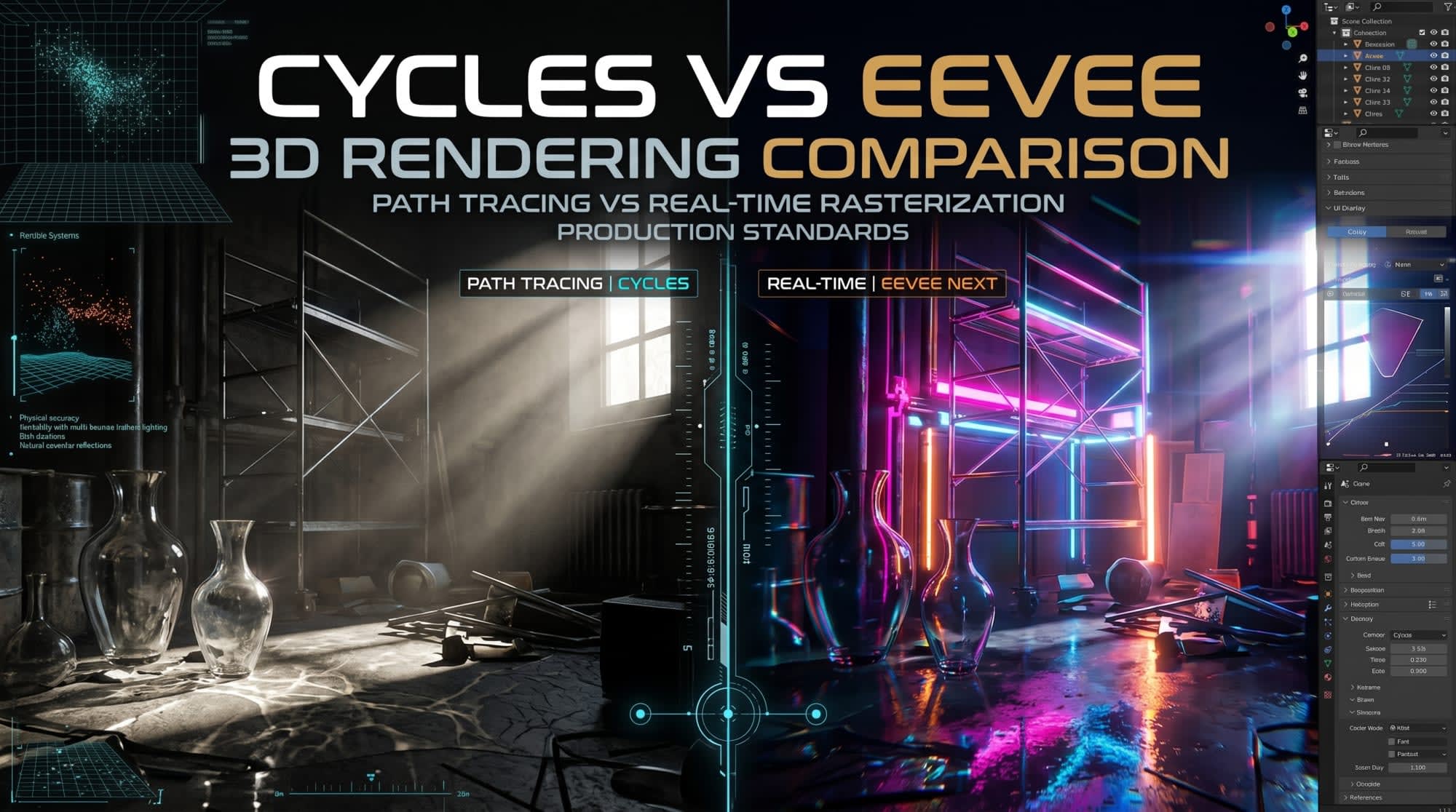
Blender Render Engines Analysis: Cycles and Eevee Architectures, Performance Dynamics, and Use Cases
In computer graphics (CG), render engines are complex software algorithms that convert the mathematical data of virtual scenes into two-dimensional pixels. In 3D content creation pipelines, the open-source Blender software, which has become an industry standard, offers its users two main render engines: Cycles and Eevee 1 . Although both engines are based on "Physically Based Rendering" (PBR) principles, they differ fundamentally from each other in terms of how they calculate light, processing power requirements, and the level of realism of the final visual output 1 . The existence of these two engines makes Blender an indispensable tool for both photorealistic visualization experts and real-time animation studios 3 . This report examines in depth why Cycles is photorealistic yet extremely heavy in terms of computation; and why Eevee (and the next-generation Eevee Next architecture) hits certain realism limits despite being incredibly fast, at architectural, mathematical, and hardware levels. The effects of modern hardware acceleration (OptiX, HIP, Metal), path guiding, AI-powered denoising, and screen space algorithms on these two engines are analyzed in detail, revealing which engine should be preferred in which situations during professional production workflows.
1. Architectural Foundations: Mathematics of Path Tracing and Rasterization
At the core of the chasm between Blender's render engines lie radically divergent approaches to how light is simulated in a digital environment. While Cycles uses a statistical model that calculates how light moves through space in accordance with the laws of physics, Eevee relies on a series of algorithms that estimate light by projecting 3D geometry onto a 2D screen.
1.1. Cycles: Backward Path Tracing Architecture
Cycles is a production-level, physically-based path tracer engine aiming for photorealism 1 . At its core, it works by solving the rendering equation through random sampling methods called Monte Carlo integration 7 . In the real world, trillions of photons burst from light sources (such as the Sun or a light bulb), hit surfaces, bounce, and a very small fraction reach the lenses of cameras. Since calculating these trillions of photons emitted from a light source in a digital environment would lead to massive data waste and hardware inadequacy, Cycles operates on the logic of "backward ray tracing" 8 . In this system, the engine fires virtual rays from the center of each pixel in the camera's viewfinder out into the scene 8 . When the rays hit objects in the scene, they react and change direction according to Bidirectional Scattering Distribution Functions (BSDF), which define the material properties of the object 1 . The Cycles engine processes these complex ray interactions by basically dividing them into four main categories:
● Camera Rays: Primary rays that originate directly from the camera and make the first contact with the scene geometry 1 .
● Reflection Rays: Rays that bounce off a surface. They are subdivided into Diffuse, Glossy, or Singular subcategories depending on the microscopic roughness of the surface 1 .
● Transmission Rays: Rays that pass through surfaces such as glass, water, or transparent plastic. They change direction according to the principle of light changing speed when changing mediums (index of refraction - IOR) 1 .
● Shadow Rays: Transparency test rays fired from the collision point towards light sources to test whether a surface is illuminated or not 1 . The behavior of these rays can continue bouncing within the scene in infinite loops. However, since infinite calculation is impossible, the engine ends the ray's journey when it reaches a certain bounce limit or a probabilistic termination algorithm called "Russian Roulette". Firing a large number of rays (samples) allows the color average in pixels to converge to the value closest to reality, which reduces graininess (noise) in the image, but directly and linearly increases processing time 6 .
1.2. Eevee and Eevee Next: Real-Time Rasterization and Hybrid Approaches
EEVEE (Extra Easy Virtual Environment Engine) is a real-time render engine initially built on OpenGL, focusing on speed and interactivity rather than photorealism 2 . Unlike Cycles, Eevee does not fundamentally calculate trillions of possible paths for each ray within the scene. Instead, it uses a much faster projection process called "Rasterization", which is standard in computer games 2 . Rasterization directly converts polygons (triangles) in 3D space into pixels on a 2D screen, and then mathematically estimates the color of these pixels through various depth tests (Z-buffering) and shaders 2 . Eevee's incredible speed stems from performing light calculations in screen space or with pre-calculated (baked) volumetric data structures (Light Probes) instead of doing them physically in space 6 . Introduced in Blender 4.0 and later, Eevee Next is the modernization of the engine, which goes beyond pure rasterization and hybridizes hardware and screen-space ray tracing capabilities 3 . However, since Eevee Next's core architecture still relies on rasterization, the visual fidelity it produces is always limited to the area currently seen by the camera or data points pre-placed in the scene 14 .
2. The Illusion of Realism: Why is Eevee Not Photorealistic?
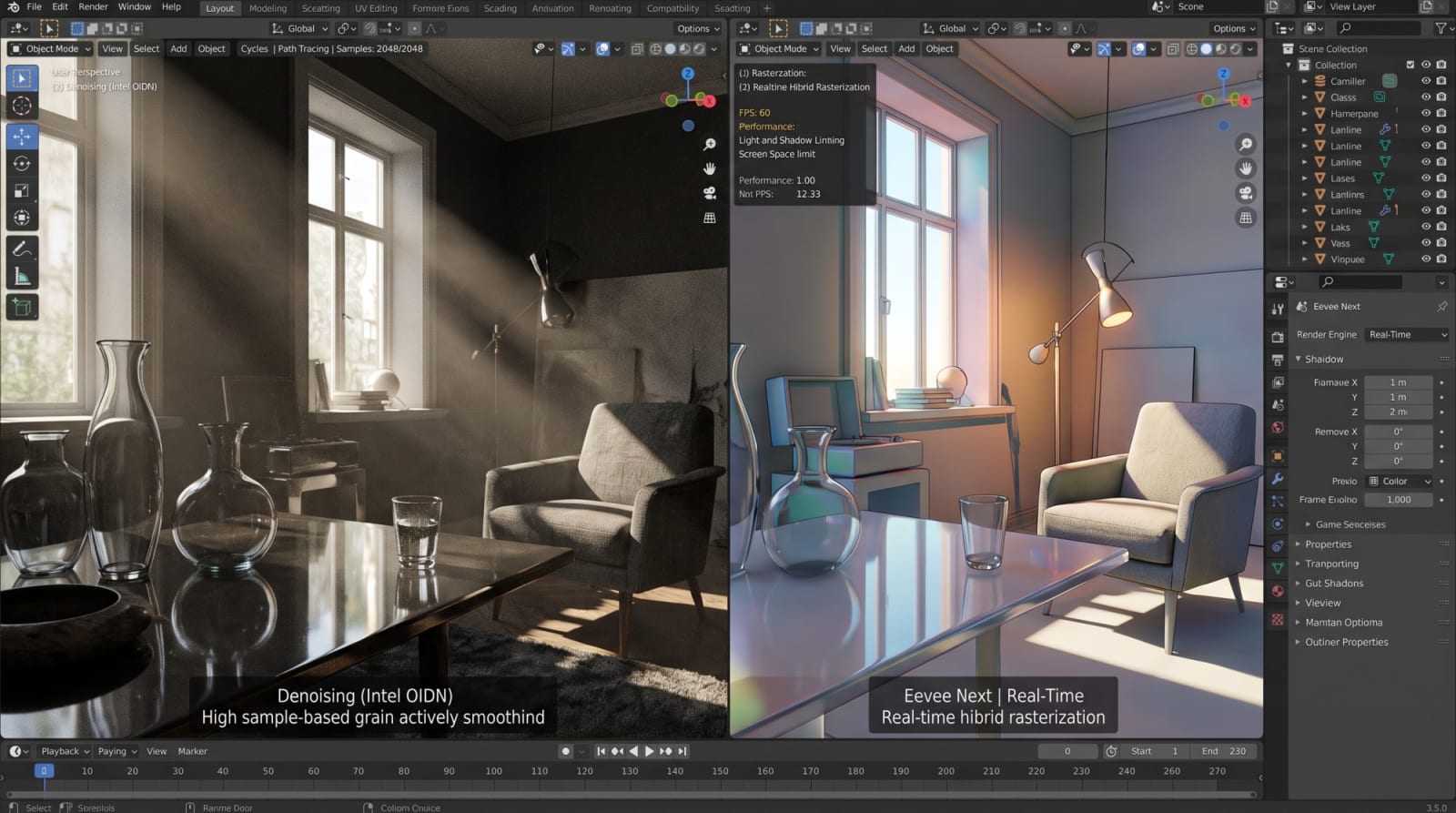
The answer to users' question of "Why is one very slow while the other is less realistic?" lies in Eevee creating an optical "illusion" instead of physically simulating light.
Realism is sacrificed for smartly designed shortcuts in the name of speed.
2.1. Screen Space Limitations and Loss of Geometry
The biggest weakness of Eevee (and all rasterization engines in general) is its dependency on "Screen Space" data when calculating reflections and indirect lights 6 . Screen space technologies perform reflection or shadow calculations using only the color and position data of the pixels currently seen by the camera (depth buffer) 15 . The physical equivalent of this in practice is quite problematic: If there is a character standing on a highly reflective floor (such as wet asphalt or a mirror), Eevee creates the character's reflection by inverting the existing pixels on the screen and drawing them onto the floor. However, if the camera tilts downward and the character goes out of the camera's field of view (the viewfinder), the reflection on the floor suddenly disappears or gets cut off 14 . This is because the character is no longer part of the screen space (depth buffer), and Eevee cannot reflect something it cannot see. Eevee Next introduced a ray-tracing (Screen-Trace) methodology to mitigate this issue. This new pipeline performs screen space ray tracing (SSRT), and if the ray goes out of the camera's field of view, it falls back to light-probes pre-placed in the scene 15 . The success of this system in Eevee Next depends on parameters such as Precision, Thickness, and Backface. For example, when the "Thickness" value is kept high, surfaces in the depth buffer are assumed to be thick, preventing rays from missing objects, but this time artifacts such as elongation or flickering occur in reflections 15 . These screen space illusions cannot even come close to Cycles' flawless global reflections that take all geometry into account at every moment.
2.2. Global Illumination and Light Bounces
In the real world, light does not lose all its energy when it hits objects; it absorbs a portion, reflects the rest, and this reflection causes color bleeding (for example, a white chair next to a red wall looking reddish). Cycles calculates this indirect illumination mathematically correctly with "Diffuse Bounces" settings 6 . Light energy circulates between objects until it completely dissipates in the environment. Eevee, on the other hand, traditionally has to achieve indirect illumination by using "Light Probes" (Irradiance Volumes). The artist places a probe volume into the scene, and Eevee calculates how light is distributed in the scene through these probes and bakes it onto textures 13 . To overcome this cumbersome process, Eevee Next introduced a system called "Fast GI Approximation" based on horizon scans 15 . Instead of tracing each ray individually on surfaces with high roughness, this system approximately calculates the illumination in screen space; while it increases performance and reduces noise, it cannot resolve multiple energy transfers of light between surfaces, light leaking, and contact occlusion as sensitively as Cycles 15 . Ambient Occlusion tries to mask this lack of light and depth by adding fake darkness to the intersection points of shadows 13 .
2.3. Volumetric Effects and Subsurface Scattering
(Subsurface Scattering) Organic materials (human skin, wax, marble, milk, leaves) do not reflect light directly; light penetrates beneath the surface, scatters by hitting particles inside, and emerges weakened. To solve this effect, Cycles uses an advanced algorithm called "Random Walk" that simulates true volumetric scattering inside the mesh 18 . Random Walk physically and accurately calculates how light spectrally attenuates within closed geometries (such as undertones appearing red in human skin) 18 . On Eevee's side, SSS (Subsurface Scattering) is based on the principle of blurring the material surface according to incoming light 13 . Since true distance calculation of the light entering the volume cannot be made, it is very difficult to provide the optical depth sensation that Cycles can deliver (light attenuating in the spectrum across thin textures and creating translucency), especially in complex materials like human skin 21 . Similarly, in volumetric rendering processes such as fog and smoke, Eevee operates by dividing 3D space into slices along the screen axis 13 . Although Eevee Next brings improvements in these areas, volumetric shading precision always hits the limits of hardware rasterization resolution (volumetric tile size) 22 .
2.4. Shadowing and Transparency Problems
Cycles produces true optical shadows at completely pixel-level precision, based on light rays hitting solid objects or translucent surfaces. As the size of the light source increases, shadow edges soften naturally. Eevee, historically, uses "Shadow Maps" 6 . The resolution of shadow maps is limited (e.g., from 1024 to 4096 pixels per light) 6 . This limited resolution can cause shadow edges to appear pixelated (aliased) or shadows to remain disconnected at points where objects touch the ground (Peter Panning effect). Furthermore, while Cycles applies a flawless index of refraction (IOR) in scenes where fragile (refractive) objects intersect (Transmission Bounces) and allows light to pass through the glass to illuminate another glass 6 , Eevee requires special transparency tricks (Alpha Blend/Hashed) and refraction planes to avoid depth complexity. The overlapping of multiple transparent objects in screen space leads to depth sorting errors.
3. Processing Load and Bottlenecks: Why Is Cycles So Slow?
Despite Cycles' high-quality results, its biggest obstacle in production pipelines is its speed (or lack thereof). The fact that rendering a frame takes minutes or hours instead of seconds stems from an unimaginably large mathematical workload running in the background. Photorealism makes you pay for itself with CPU cycles.
3.1. Bounces, Sampling, and Noise
"Max Bounces" in the Cycles render settings determines how many times a ray can bounce off surfaces before being terminated by the simulation engine 6 . For complete and convincing Global Illumination, Diffuse, Glossy, and Transmission bounce limits must be kept at realistic levels. For example, accurately calculating laminated glass or a deep interior with white walls illuminated by light entering through windows may require 8 to 12, or even 16 bounces for nested glass objects 6 . At each bounce, the ray changes direction and potentially splits into new rays. When hundreds, sometimes thousands of samples are sent from each pixel to ensure color accuracy in pixels, the processing volume increases logarithmically 6 . When light sources are small and hard to reach (for example, diffuse sunlight entering only through a small skylight), most randomly fired rays terminate by hitting a wall or the floor without reaching the light source 25 . Pixels that cannot find a light source return dark data. As the rendering progresses, these differences in illumination between neighboring pixels appear on the image as intense "Noise" or bursting bright, erroneous pixels (Fireflies) 15 . Increasing the number of samples required to clean up noise (e.g., increasing from 256 to 4096) causes render times to multiply linearly 6 .
3.2. Bounding Volume Hierarchy (BVH) Cost
The overall performance of ray tracing depends on how fast rays test intersections with triangles (polygons) present in the scene. If there are millions of polygons in a modern scene, the render engine cannot brute-force search which triangle every ray it fires hits; this would take years. Instead, the engine uses a spatial data structure called BVH (Bounding Volume Hierarchy) 8 . BVH creates a tree structure by enclosing objects in the scene inside nested virtual boxes (Bounding Volumes) 8 . When a ray is fired, the engine first checks whether the ray hits the largest box; if it does, it moves to the smaller boxes inside, and this elimination process continues until it reaches the exact triangle it hits 8 . This system speeds up intersection tests enormously. However, the construction of the BVH tree ("Building BVH") is an intensive preparatory task that the CPU must perform before rendering begins. While this process is done once in static scenes, in animations with deforming objects such as character animation or fluid simulation, the BVH needs to be recalculated or updated on every frame. If there are millions of particles or leaves in the scene, the BVH creation time (packing BVH nodes) can sometimes even exceed the render time itself, putting a serious additional load on the system 8 .
3.3. Caustics and MNEE (Manifold Next Event Estimation) Mathematics
The intense bright patterns created on a table by light passing through a glass cup or light ripples at the bottom of a pool are called "Caustics" 7 . For standard path tracing algorithms, caustics are among the hardest problems to solve. This is because the probability of a random ray coming from the camera hitting the glass object, passing through it with the correct refraction angle, and reaching a specific, small light source (such as a spotlight) is one in a billion 10 . Therefore, caustics always remain excessively noisy in classical path tracers. To solve this chronic issue, Blender has integrated MNEE (Manifold Next Event Estimation) technology into Cycles 7 . MNEE establishes a special direct connection (next event estimation) to reach light sources via refractive surfaces (refractive caustics) 7 . The algorithm analytically forces the "correct" light path by using a complex mathematical projection (root finding problem) between multi-layered refraction surfaces (medium interfaces) from the light source to the camera 10 . Although this feature pushes Cycles' realism to its peak and solves impossible lighting situations, it directly and aggressively increases render time since it requires massive differential calculation in the background.
4. Hardware Acceleration, APIs, and Memory Management
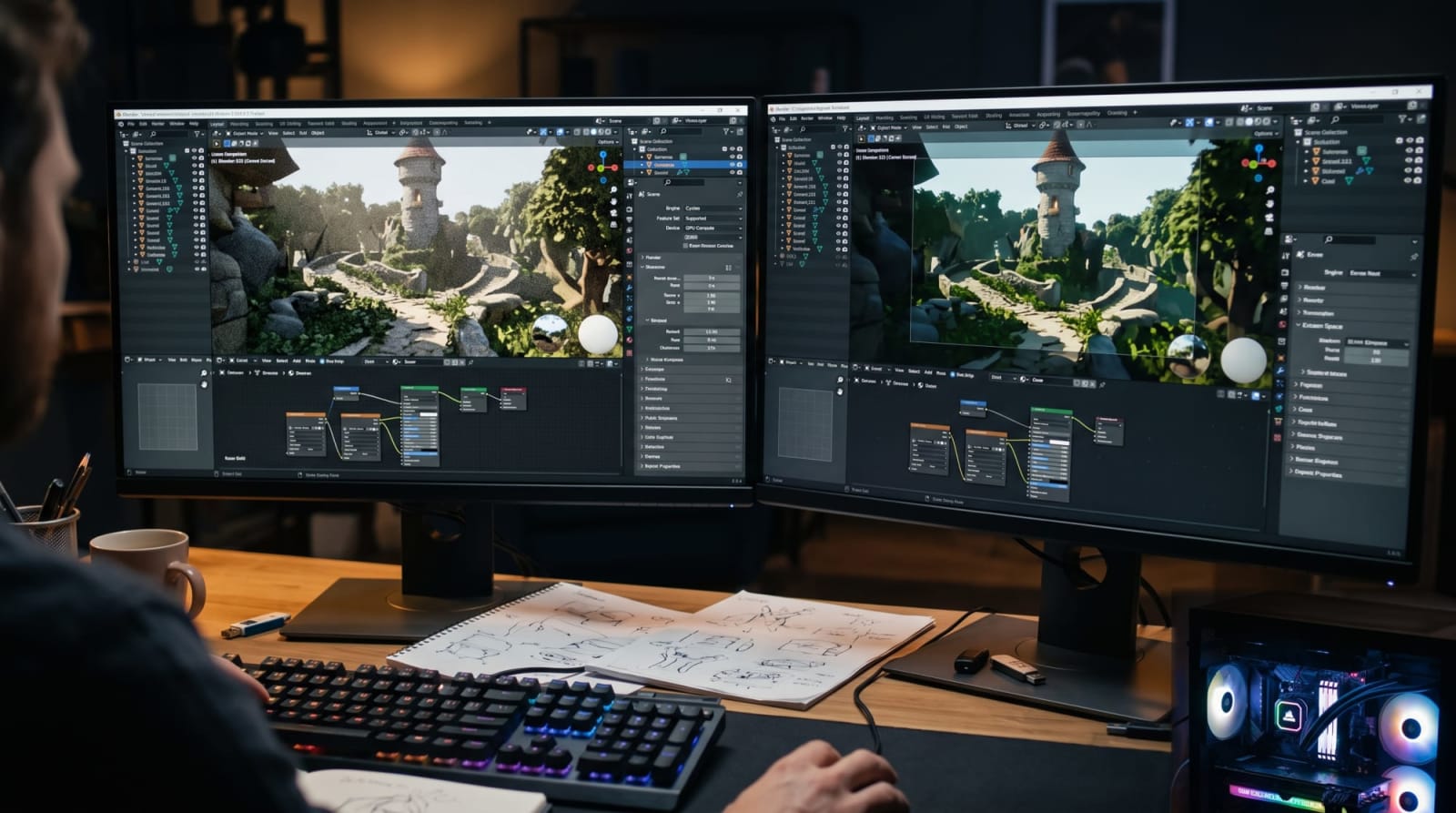
The performance potential of both engines, but especially Cycles, is directly related to the specifications of the computer hardware used and how that hardware is commanded. Because Cycles performs trillions of mathematical intersection tests, it desperately needs high-parallelization GPU (Graphics Processing Unit) power. Eevee, on the other hand, operates via texture filtering, VRAM bandwidth, and rasterization capability.
4.1. Compute Backends and Hardware APIs
The Blender Foundation has multi-platform optimized Cycles to take advantage of almost all modern GPU architectures on the market 4 . Offloading the render process to the GPU instead of the traditional CPU (Processor) drops times logarithmically 29 . The acceleration APIs supported by Blender are:
API TechnologySupported HardwareTechnical Advantages and DetailsCUDANVIDIA (GTX/RTX)Standard general-purpose hardware acceleration environment for NVIDIA cards with "Compute Capability 5.0" and above. It takes over the GPU's parallel processing power from the CPU, but does not use hardware ray tracing cores28.OptiXNVIDIA RTX SeriesNVIDIA's proprietary library that directly uses hardware ray tracing cores (RT Cores). User tests show that OptiX shortens render times by 55% to 90% compared to using CUDA alone. It provides an incredible performance leap, especially in BVH (Bounding Box) intersection tests6.HIPAMD (RDNA1 and above)CUDA-like open acceleration environment developed for AMD graphics cards (RX 5000 series and above). It also activates hardware ray tracing support in RDNA2 and RDNA3 series (RX 6000/7000 series), giving AMD users a serious speed boost28.MetalApple Silicon (M1/M2/M3)Apple's direct hardware-access API for the MacOS ecosystem. It takes great advantage of the Unified Memory architecture of M-series processors, as VRAM and System RAM share the same pool6.oneAPIIntel Arc (Xe HPG)Open-source API offered by Intel for its Arc series graphics cards, containing full support including ray tracing acceleration28.
The integration of OptiX and HIP technologies has fundamentally changed 3D production pipelines. Complex animation renders that used to take days with a multi-core CPU in past years can now be completed in hours on a single workstation housing cards like the RTX 4090 3 .
4.2. VRAM Bottleneck and Out-of-Core Render Architecture When a render process is initiated, all geometries present in the scene (millions of polygons), high-resolution PBR textures (4K/8K diffuse, normal, roughness maps), particle systems, and volumetric data must be loaded into the Video Memory (VRAM) of the graphics card 3 . However, standard consumer-grade graphics cards usually have limited VRAM ranging from 8 GB to 24 GB. If a scene exceeds the VRAM limit, the GPU render process crashes and gives Blender users the famous "CUDA/OptiX out of memory" error 31 . To overcome this critical issue, Cycles has been updated to support the Out-of-Core memory architecture 32 . Out-of-core rendering means that when the GPU's VRAM is completely full, it starts using the system memory (DDR RAM) pool for missing data 33 . Textures or geometry that do not fit into VRAM are moved to host (system) memory (swapping) 28 . However, this system has a very heavy price: The continuous movement of data between the CPU and GPU over the PCIe bus on the motherboard causes a bandwidth bottleneck and slows down render performance to a massive degree (so much so that in extreme cases, using direct CPU render can become faster) 34 . Despite the slowdown, it is a vital "safety net" because it prevents the scene from crashing and finishes the job 33 . To protect VRAM and avoid falling into this bottleneck; turning off the background 3D viewport during rendering 32 , restricting maximum texture sizes via "Texture Limit" through Simplify settings, or using Distance Culling for distant objects are the core strategies applied by professionals 31 .
4.3. Render Farms and Cloud Scaling
In large-scale commercial projects where personal hardware falls short, artists turn to "Render Farms" 3 . These platforms dramatically cut down render times by connecting hundreds of servers together 11 . For instance, render farms like Superluminal can reduce large projects (like the Classroom benchmark scene) from 411 seconds on a single machine down to 90 seconds using 30 nodes (servers) 11 . Superluminal boosts performance by utilizing a "Persistence Engine" that eliminates the overhead of restarting Blender on every frame 11 . The RenderStreet platform offers NVIDIA L40s cards with 48 GB VRAM ($4.49/hour) to bypass VRAM bottlenecks and can simultaneously deliver OptiX hardware acceleration and OSL (Open Shading Language) support 5 . Cloud computing services like iRender, on the other hand, allow users to connect directly to a machine hosting 8x RTX 4090s, empowering them to set up their own custom workflows 3 .
5. Modern Optimizations and Blender 4.x/5.x Revolutions
The differences between Cycles and Eevee Next are constantly evolving thanks to new algorithms shaking up the rendering world that strive to close the gap in performance and quality.
5.1. AI-Powered Denoising (The Denoising Revolution)
The problem of excessively slow Cycles render times has been radically resolved thanks to AI-based "Denoiser" algorithms 6 . Denoising technologies analyze "grainy" outputs produced with low sample counts (e.g., just 128 or 256 instead of 4096) along with albedo and normal maps (passes), and ensure pixels are smoothed using deep learning algorithms 6 . Thanks to denoisers, a clean Cycles output that would take hours can be reduced to seconds or minutes 6 . Among Blender's default tools, there are two major giants: ● Intel OpenImageDenoise (OIDN): Originally Intel's hardware-agnostic, AI-based system running only on the CPU. It utilized SSE4, AVX2, AVX-512, and AMX instruction sets on processors 37 . However, with the OIDN 2.0 release, it received a massive update and began supporting full GPU hardware acceleration 37 . It now runs not only on Intel Arc (XMX) but also on NVIDIA (Turing, Ampere, Ada), AMD (RDNA2, RDNA3), and Apple Silicon (M1+) GPUs, delivering exceptional performance 37 . It is extremely successful in fine-detail reconstruction and can automatically fall back to the CPU instantly in cases of insufficient GPU memory 37 . ● OptiX Denoiser: Exclusive only to NVIDIA RTX hardware. Using machine learning cores, it is incredibly fast at smoothing interactive feedback particularly on the viewport (during instant camera movements) 6 . Eevee Next handles denoising differently; it superimposes recent frames with Temporal Accumulation and suppresses screen noise in real-time using Spatial Reuse methods 13 .
5.2. Path Guiding and Intel OpenPGL Integration
Particularly in scenarios requiring massive indirect lighting, such as architectural visualization (ArchViz) where scenes are illuminated by sunlight entering through small windows, Cycles' brute-force ray tracing is a massive waste of time 25 . To overcome this problem, Intel's OpenPGL library has been integrated into Cycles, introducing the "Path Guiding" feature 44 . When Path Guiding is enabled, the system analyzes and learns the lighting conditions in the scene during the render process 44 . It maps from which directions light energy is arriving more intensively (light distribution). Once these "training samples" are completed, instead of casting subsequent rays randomly, the engine directs them straight to the significant directions from where the light originates (for example, a small window gap in a dark room or light leaking through an open door) 25 . This smart "guiding" mechanism dramatically reduces the amount of noise in complex multi-reflections 36 . Although it currently runs mostly stable on the CPU (Processor), GPU-supported versions are being developed rapidly 36 . Additionally, Cycles offers another powerful optimization structure that shortens render times by ensuring that when there are hundreds of light sources in a scene (such as a large city skyline), pixels calculate only the lights with the highest probability (closest or strongest) of affecting that region through "Light Tree" technology 6 .
5.3. Light and Shadow Linking
The "Light Linking" capability, which is revolutionary for Cycles in Blender 4.0 and for Eevee Next in 4.2 and later, has been made available 49 . In the real world, a lit light bulb illuminates everything around it, but 3D artists often want cinematic control by bending the laws of physics; for instance, they might request a spotlight to illuminate only the main character's face while leaving the wall behind them dark 49 . Light Linking does precisely that. It allows a light source to illuminate only objects on selected "Collections" (include) or leave specific objects dark by bypassing them (exclude) 49 . Shadow Linking controls which objects will or will not cast shadows due to that light 49 . In terms of performance, while this works quite efficiently when the Light Tree structure is used, shadow linking may require extra calculations since direct and indirect lighting follow different paths 49 . Eevee Next beginning to support this feature is a huge leap for real-time animation directors 50 .
5.4. Space Bending: Ray Portal BSDF (Cycles Exclusive)
Along with Blender 4.2, the "Ray Portal BSDF" node, which works only in the Cycles engine and changes the rendering paradigm, has been introduced 54 . This special shader has the ability to bend the position of rays in space without changing geometry. It provides teleportation by carrying rays passing through it to another coordinate or rotation (X, Y, Z) in the scene 55 . Thanks to this, creating "impossible spaces" whose interiors are larger than their exteriors, or reflecting the angle seen by a security camera directly onto a monitor (Camera Feed) effect, is made possible inside real-time rendering (without external texture baking) 55 . Operating similarly to a Transparent BSDF, it stretches rendering limits; however, ray traversal is unidirectional (a portal must also be placed at the target point to make it bidirectional), and because it weakens direct illumination samples (light sampling), small light sources behind the portal can cause intense noise 55 . Since it provides analytical ray location/vector changes instead of optical refractions, it is an invaluable tool for visual effects (VFX) experts.
6. Stylized Graphics (NPR - Non-Photorealistic Rendering) and the "Shader to RGB" Paradox
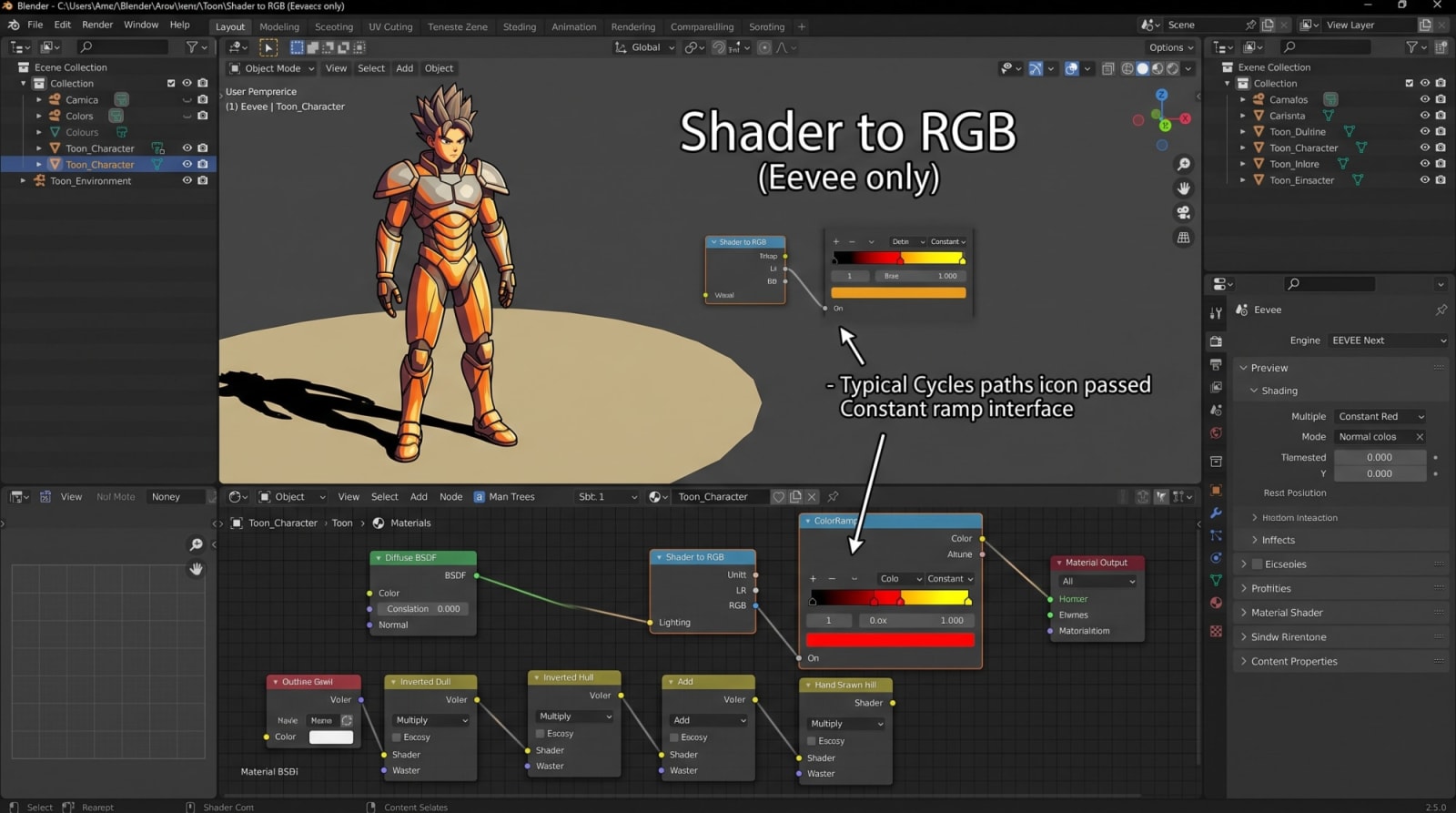
Not every 3D project requires photorealism; Anime, Toon (Cel) Shading, or comic-book-style stylized renders are extremely common in the industry 58 . However, at this point, the architectural code differences between Eevee and Cycles force artists to make a radical choice. The question of which engine to use hits a technical limit here.
6.1. Eevee's Anime/Toon Superiority
When doing stylized (Toon) rendering, artists want to eliminate that soft transition (gradient) between natural shadow and light, creating sharp bands (color stops) just like in 2D animations 58 . To achieve this, lighting data from a standard shader (e.g., Diffuse BSDF) in Blender needs to be taken, this light data converted to color (RGB), and a "Color Ramp" (Constant Interpolation) applied on top of it 58 . This is where a special node called Shader to RGB comes into play in this critical workflow. This node
ONLY works in the Eevee render engine 58 .
6.2. Physical Energy Conservation and Cycles Limitations
The answer to one of the most frequently asked user questions, "Why is Shader to RGB not in Cycles?", is based on ray tracing mathematics 60 . Because Eevee is a rasterization engine, it can calculate the illumination of a specific object on the screen during rendering in an isolated way, independent of the object, and instantly return the result as color data 62 . Cycles, on the other hand, is a massive "path tracing" network running asynchronously 62 . When a ray hits object A, its job is not finished; it bounces from there to object B, and from there to object C 62 . If the color of object B is changed in real time based on the result of the light coming from A (and Shader to RGB precisely requests changing color depending on illumination), light paths enter infinite paradoxes. While an object's color affects the ambient light, the ambient light also affecting the object's color creates a circular logic error, and the rule of physical "energy conservation" is broken 62 . Artists using Cycles have to follow convoluted ways for this type of stylized look, such as using "Toon BSDF," dividing scenes into render passes to do multiple compositing, or baking light data as textures 60 . For this reason, Eevee is the undisputed and unrivaled king of 2D/Anime style projects 3 .
7. Strategic Decision Making: Which Engine Should Be Used in Which Scenario?
Depending on hardware specifications, art direction, physical simulation requirements, and production time constraints, the place of both engines in production workflows is clear 3 .
7.1. When Should Eevee (and Eevee Next) Be Used?
● Long Animations with Time Constraints: Eevee can enable an artist to complete a 5-minute animation (7000+ frames) on a single workstation in a single day by spending only seconds (or milliseconds) per frame. With Cycles, this could take months or incur tens of thousands of dollars in cloud costs 3 . ● Stylized / NPR Projects: Thanks to the "Shader to RGB" capability, it is the only practical choice in Anime-style sharp cel-shaded works 58 . ● Pre-visualization (Pre-viz) and Motion Graphics: Rapid concept approval processes where physical accuracy (glass, microscopic reflection) is not critical, and fluidity and a lively preview are required 3 . Eevee Next's hardware ray tracing integration has made this area much more satisfying than before 65 .
7.2. When Should Cycles Be Used?
● Architectural Visualization (ArchViz) and Product Design: High-quality interior or product renders where light bounces off multiple surfaces to illuminate the space organically (Global Illumination), and contact shadows must be flawless. Combined with Intel OpenPGL Path Guiding, it is the industry standard 3 . ● VFX (Visual Effects) and Photorealism: Compositing processes where real-life camera footage will be combined with CGI, complex laminated glass reflections (Transmission), or realistic human skin (Subsurface Scattering) work requiring Random Walk 3 . ● Complex Volumetric and Caustic Effects: Physical accuracy of light beams traveling through fog illuminating the surroundings (Multi-scattering) or sharp caustic refractions at the bottom of pools (MNEE) 10 .
7.3. Hybrid Workflows and Viewport Compositor
In truly professional scenarios, these two engines are not enemies of each other, but rather complements of the same production pipeline. Eevee and Cycles share the exact same "Shader Node" infrastructure and PBR logic 2 . This tremendous feature offers artists the opportunity to perform lighting setups, scene arrangement, and material development (LookDev) processes at Eevee's interactive, fluid speed, and take the final output (Final Render) into a high-quality hardware-accelerated (OptiX/HIP) environment by transferring it to Cycles with a single menu switch 2 . Additionally, thanks to Blender's new "Viewport Compositor" capability, special hybrid scenarios can be created where volumetric data or post-process effects like Bloom are obtained through Eevee in seconds and composited directly inside the viewport on top of a clean, rendered Cycles output, cost-effectively blending the best aspects of both sides 22 .
Conclusion
The radical differences between Cycles and Eevee (and the new Eevee Next), the two giant render engines Blender offers to the 3D production world, fundamentally stem from the relentless trade-off between production speed and optical physical perfection. Cycles is heavy in terms of calculation because it does not imitate light. To the extent permitted by mathematics and modern hardware, it re-simulates the actual physical bounces, refractions, and collisions of light in space billions of times using a merciless Monte Carlo integration. Although advanced hardware API accelerators (OptiX/HIP), AI-powered revolutionary denoisers (OIDN 2.0), and Intel OpenPGL-based path guiding algorithms have significantly lightened this heavy mathematical load today, Cycles still makes you pay the price of absolute photorealism with hardware investment and processing time. On the other side, Eevee relies on the optical illusion capability of computer graphics history. Because rasterization technology is framed by Screen Space limits, it produces reflections, volumetric scatterings, and indirect lighting only "as much as the camera sees and can estimate." Although this leaves it behind in terms of physical accuracy (hence it is less realistic), it is the backbone of most medium-to-large-scale productions because it can produce fascinating animations in seconds, optimizes memory consumption, and supports NPR (Shader to RGB) workflows. When starting a professional project, the answer to the question of whether the ultimate goal is physical accuracy or artistic flexibility, budget, and speed is the sole factor that directly dictates which engine will be chosen.
*Note: Images were generated by Google Gemini.